01 / THE AUDIO.WAV
Sample audio track
Listen to an existing music-video audio example.

You don’t have enough credits to complete this request.As a subscription member, you can buy one-time lifetime credits that never expire—no subscription and no auto-renewal. Use them anytime to create songs, instrumentals, or music content.
Turn your rap audio and one portrait into a lip-synced performance video with AIRapGen.com. Pick your strongest bars, direct the performance, and put your track on screen.
Already have a track? Start below. Need the audio first? Try the AI Rap Generator.
Click to upload or drag audio here
MP3, WAV (max 10 minutes)Upload a song, vocal track, voiceover, or podcast clip. Max video: 60s.
Click to upload a vertical photo
JPG, PNG (Max 10 MB)Use a portrait image with clear face.
Billed by saved audio length in 5-second increments. 720p costs 2× 480p.
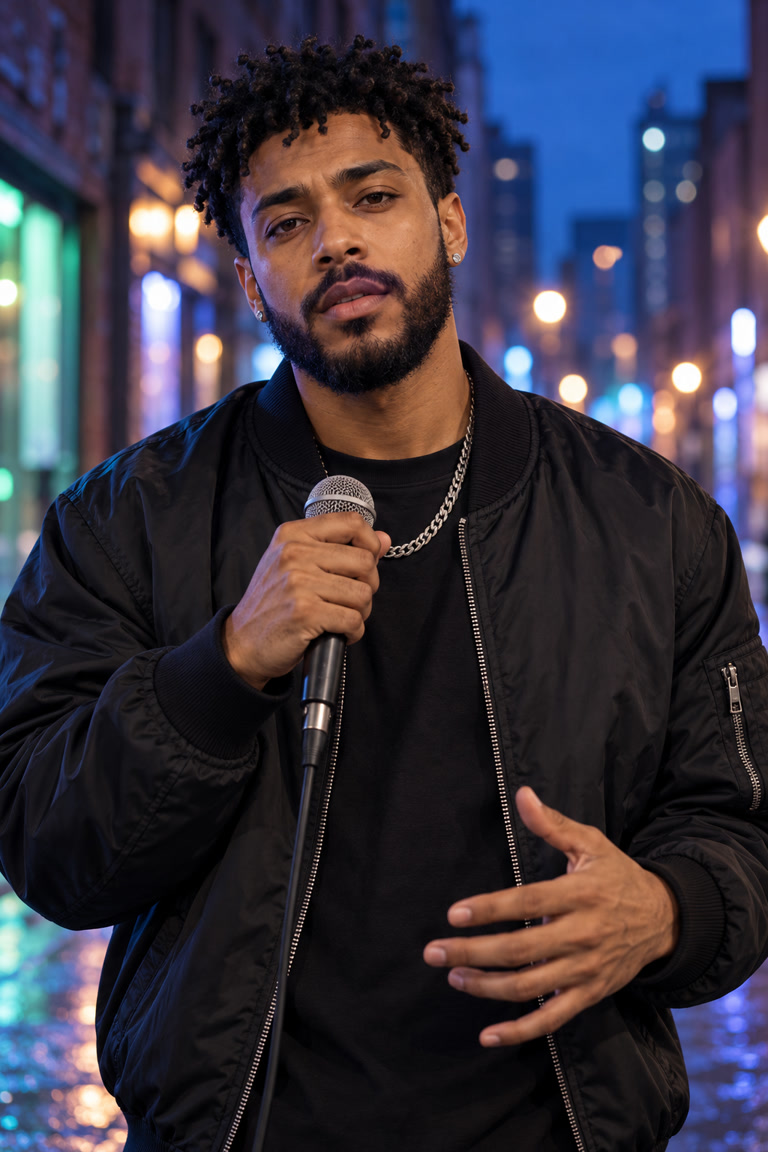

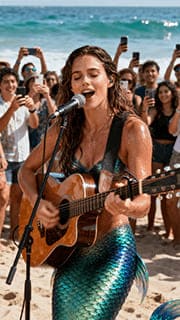
An AI Rap Video Generator turns a rap audio clip and a portrait into a short performance video. AIRapGen.com combines your track, the face in your photo and a performance prompt to create lip-synced movement and captions—so your verse has a visual identity.
Choose the sound, choose the face, then bring them together. This workflow shows the input formats for your next rap video. The playable audio and video are music-video examples; upload your own matching rap and portrait to create your clip.
Listen to an existing music-video audio example.
One performer. Clear lips. A scene with character.
You do not need to visualize an entire song at once. Start with the moment that makes someone stop and listen.
Turn your most memorable hook into a portrait performance. Use a short, repeatable section for a release teaser or a vertical social post.
A focused clip for Reels, Shorts and TikTokPair a clear vocal section with a close portrait. Keep the movements small so the expression and delivery stay at the center of the video.
Start with 5–10 seconds of your strongest barsUse your own image or an original virtual rapper across tracks. A consistent face and setting help connect each clip to the same artist.
One visual identity across your next releasesThe audio supplies the words. Your prompt directs the performance. Describe how the rapper moves in the scene that is already in your photo.
A solo rapper performs directly to camera on the city street, with confident eye contact, subtle head nods and small, natural hand gestures. Keep the microphone below the mouth and the camera steady.
Keep it grounded: ask for small gestures, steady framing and a clear face. Avoid requesting a different location or an instrument that is not in the photo.
Start with a short test. Review the delivery. Then give your full hook the same treatment.
Upload an MP3 or WAV. Need a new track? Create one with the AI Rap Generator first.
Trim a 3–59 second section and confirm it. Start with 5–10 seconds so you can check the timing.
Add a clear portrait, write a movement prompt, and choose your audio language and resolution.
Generate the clip. Check the mouth movements, captions and framing before posting your finished video.
Keep the audio, portrait and prompt the same when comparing settings. Fast rap, layered vocals and face movement can affect the result at either resolution.
| Setting | 480p | 720p |
|---|---|---|
| Best starting point | A short test | A higher-resolution clip |
| Video length | 3–59 seconds | 3–59 seconds |
| Credit multiplier | 1× | 2× |
| Billing | 5-second blocks | 5-second blocks |
Inputs, prompts, clip length and the difference between making a rap and making its video.
Go to the generator ↑An AI Rap Video Generator turns recorded rap audio and a portrait into a short performance video. AIRapGen.com uses the selected audio clip, the person in your photo and a performance prompt to create lip-synced movement with on-screen captions.
Upload an MP3 or WAV file, select and confirm a 3–59 second section, and add one clear portrait. Describe the performance, select the audio language and choose 480p or 720p. Generate a short test first, then review the lip sync and captions before making a longer clip.
This page is for turning existing rap audio into a video. Your uploaded track supplies the words and voice. To create the audio first, use the AI Rap Generator on the AIRapGen.com homepage, then return here with the exported track.
Yes. The upload accepts MP3 or WAV files up to 10 minutes and 100 MB. Select a 3–59 second section for each video. A hook, a punchline or a short verse is a useful starting point.
Choose one clear, front-facing person in a vertical JPG or PNG image, up to 10 MB. Keep the eyes and lips visible, with balanced light on the face. If the person holds a microphone, keep it below the mouth. Avoid group shots and extreme head angles for the first test.
Rap timing, overlapping vocals and very fast syllables can make lip sync and captions harder. Start with a clean 5–10 second vocal section, use a face-forward portrait and request small movements. Check the result before committing to a longer clip; exact word-level sync is not guaranteed.
Use the prompt for visible performance direction: expression, small gestures and camera behavior. The uploaded audio supplies the words. Describe the person, clothing, objects and setting already in the photo instead of asking for a completely different scene.
480p is the standard option for an initial test. 720p provides a higher-resolution output and uses twice the 480p credits in this workflow. Credits depend on the saved duration, billed in 5-second blocks. The form shows a preview estimate; confirm the live price before generating.
The portrait video format is suited to short-form posts and release teasers. Download your finished video, check the captions and crop, and upload it to your chosen platform. Use audio and images that you own or have permission to use.
The generator includes six playable AI music video examples with their original portraits and performance prompts. Select a thumbnail to switch videos. The guide below shows a separate example audio track, portrait format and generated music video; upload your own matching rap audio and photo for your result.
Bring your track to the AI Rap Video Generator, or start with a new rap on AIRapGen.com.